Regenerate balanced groups in seconds
When things change, your seating chart changes with you. Instantly.
Built for real classrooms • Works offline • Desktop, mobile, and web
Finally, a seating tool that understands real classrooms and real teacher concerns.
Teaching is complex enough. Seating charts, attendance, and learning names shouldn’t add to the mental load.
ClassSeats was built by a classroom teacher to simplify the logic puzzle of seating, make learning names easier, and put everyday classroom tools in one place.
Less logistics. More teaching.
Free through the 2025–26 school year. Initial setup requires a desktop or laptop.

Hi — I’m Marty, and I teach a 7th grade STEM class.
I tried all of the usual “teacher tricks” for seating charts: choose-your-own, random, clock partners. I was always disappointed. Either students were frustrated, certain students needed to be separated, or I would spend hours rebuilding everything from scratch every time I needed a new chart.
And seating wasn’t the only issue. Learning student names (and pronouncing them correctly) was tough. And taking attendance? I was always losing my clipboard. All of it added to the daily mental load.
I wanted something that could handle real classroom dynamics, help me learn my students faster, and keep the everyday classroom tools in one place. So I built ClassSeats.
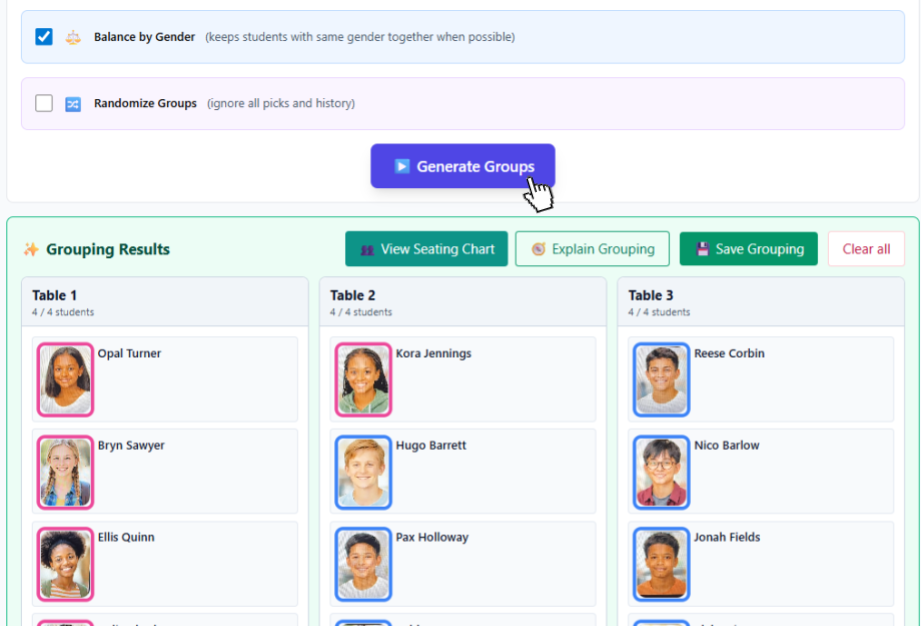
Now creating a new seating chart is as simple as pressing a button. Students who need to be separated are separated. Students who need preferential seating get preferential seating. I can flip through flashcards to learn names, hear them pronounced correctly, and take attendance from my phone.
More time. Better relationships. Ditch the clipboard.
Keep certain students apart. Seat others together intentionally. Honor support needs without rebuilding your chart from scratch.
Collect student preferences (if you choose) and generate seating that considers both their input and your constraints.
New unit? Time for a change? Regenerate your seating chart in seconds.
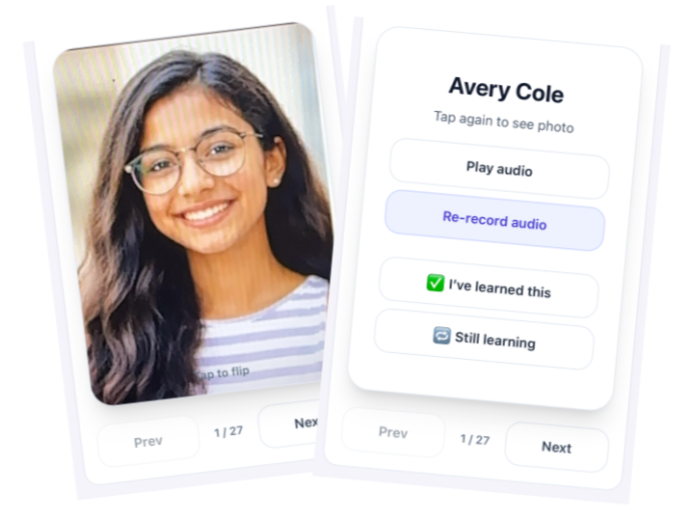
Built-in flashcards include student photos on one side, and full name with an optional 10-second pronunciation recording on the other. Students can record their own name, or you can record it for them.
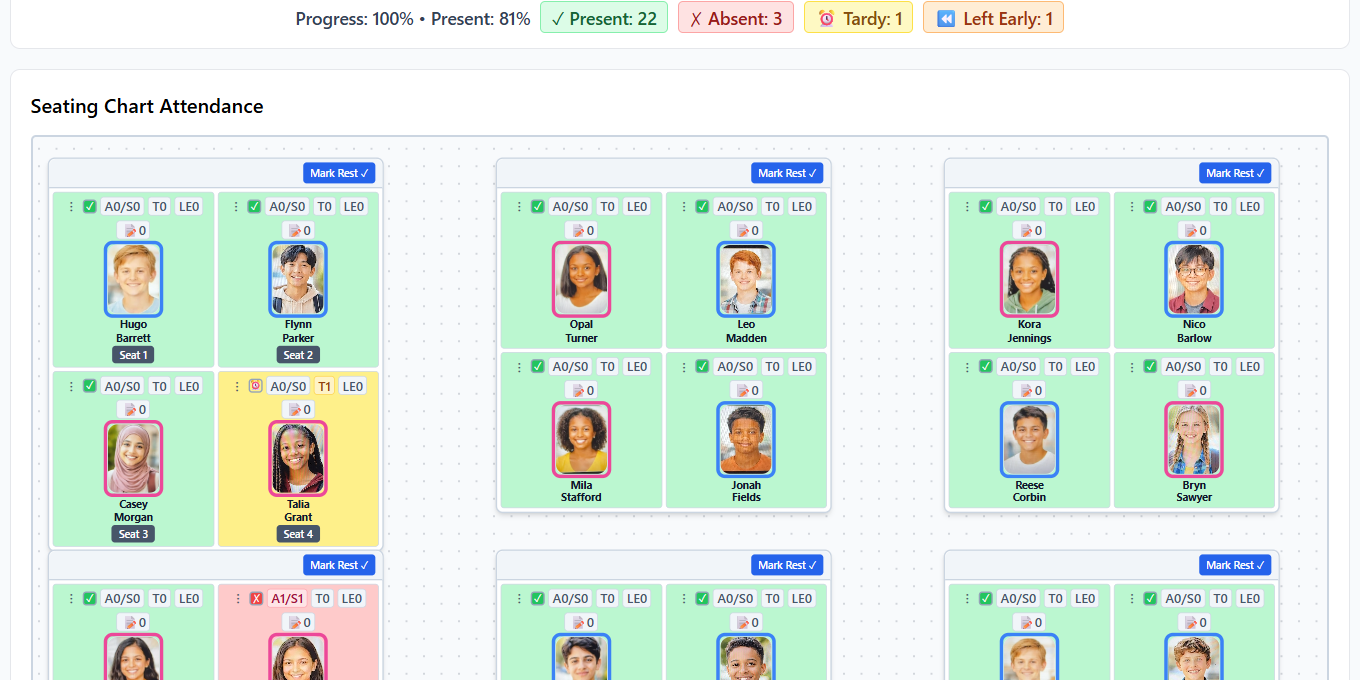
Attendance, notes, points, and student photos — all in one focused view.
A quick look at the workflows teachers use every day.
When things change, your seating chart changes with you. Instantly.
No. You can start using ClassSeats immediately.
ClassSeats is local-first. Your data stays on your device and optionally in your Google Drive. ClassSeats does not store student data on its own servers.
Yes. ClassSeats is free through the 2025–26 school year.
ClassSeats is free through the 2025–26 school year. In 2026–27, early adopters will pay $20 per teacher per year. That rate remains locked in as long as the subscription stays active. Starting in the 2027–28 school year, pricing will be $35 per teacher per year. All pricing is per teacher. No contracts.
Yes. It works on desktop, mobile, and even offline.
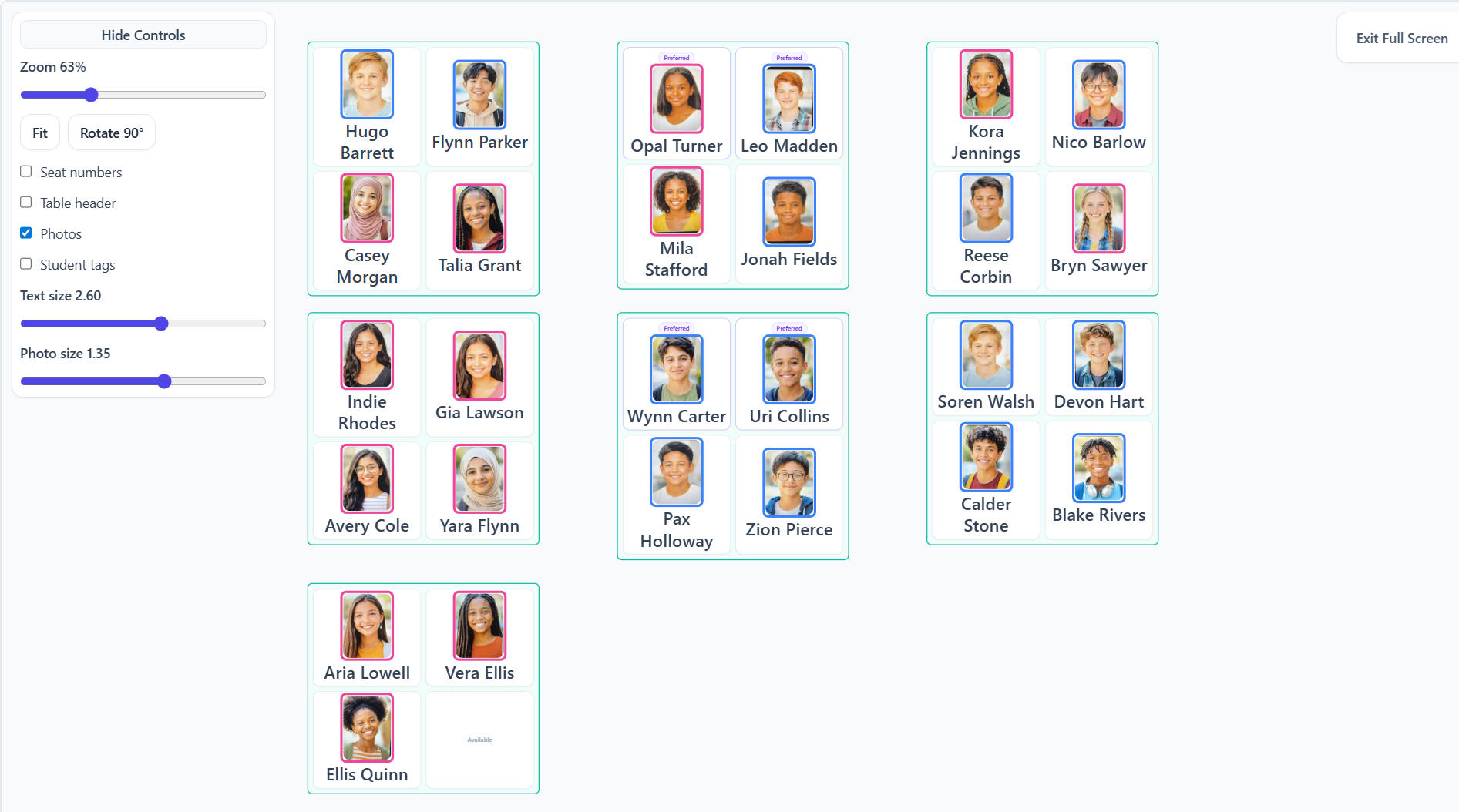
Yes. Seating charts are projection-ready and print-ready.
ClassSeats is free through the 2025–26 school year.
No account required. Start immediately.
Questions, feedback, or district rollout? Email is easiest.
Early Access users may receive updates about future features and pricing. (No student info, please.)
For district/IT questions, see District IT.
If you’re reporting a sync issue, include device + browser, and what you expected vs what happened.